Roblox is one of the most popular gaming platforms in the world, attracting millions of players every day. Unlike traditional video games, Roblox is not just a single game but a massive online platform where users can play, create, and share games made by other players. From kids and teenagers to adults and even parents exploring games with their children, Roblox has something for everyone.
This complete beginner’s guide is designed to help absolute beginners, new gamers, and parents understand how to play Roblox in 2025. You will learn what Roblox is, how to create an account, how to start playing games, basic controls, safety tips, and much more. By the end of this guide, you will feel confident starting your Roblox journey.
What Is Roblox?
Roblox is an online gaming platform and game creation system that allows users to play games created by other players from around the world. Instead of being developed by a single company, most Roblox games are made by independent creators using Roblox’s own game development tool.
Roblox as a Platform, Not a Single Game
Many beginners think Roblox is just one game, but that is not true. Roblox is a platform that hosts millions of different games, also known as “experiences.” Each game can be completely different, with its own rules, goals, and gameplay style.
Difference Between Roblox Games and Traditional Games
Traditional games usually have one storyline and fixed gameplay. Roblox games are more flexible and constantly updated. New games appear daily, and popular games evolve based on player feedback.
User-Generated Games Concept
Roblox is powered by its community. Players can create games and publish them for others to play. This user-generated content is the main reason Roblox keeps growing and feels fresh every time you log in.
Roblox Studio Overview
Roblox Studio is the free tool used to create Roblox games. While beginners do not need Roblox Studio to play games, it is useful for anyone interested in learning game development later.
Also Read: Fire Emblem Shadows Mobile Game: Android and iOS Download
Is Roblox Free to Play?
Roblox is free to download and free to play, which is one of the reasons it is so popular.
Roblox Free vs Paid Features
You can play thousands of games without spending any money. However, Roblox also offers paid features for players who want extra customization or advantages.
What You Can Do Without Spending Money
- Create a Roblox account
- Play most games
- Chat with friends
- Customize your avatar with free items
Explanation of Robux
Robux is the virtual currency used in Roblox. It can be used to buy avatar items, game passes, and special abilities inside some games.
Is Robux Necessary to Play Games?
No, Robux is not required to enjoy Roblox. Many players play for years without spending money.
How to Create a Roblox Account (Step-by-Step)
Creating a Roblox account is simple and only takes a few minutes.
Creating an Account on PC or Laptop
- Visit the official Roblox website
- Click on the Sign Up option
- Enter your date of birth
- Choose a unique username
- Create a strong password
- Select your gender (optional)
- Click Sign Up to complete registration
Username and Password Tips:
Choose a username that does not reveal personal information. Use a strong password with letters, numbers, and symbols.
Account Verification:
Roblox may ask you to verify your email or phone number for security purposes.
Creating an Account on Mobile (Android and iOS)
- Download the Roblox app from the Play Store or App Store
- Open the app and tap Sign Up
- Follow the same steps as the PC version
- Complete the registration
Account Safety Tips for Beginners
- Use a strong and unique password
- Enable parental controls if the user is a child
- Adjust privacy settings to control who can chat or send friend requests
How to Download and Install Roblox
Roblox can be played on multiple devices, making it very accessible.
On Windows and Mac
System Requirements:
A stable internet connection and an updated operating system are recommended.
Installation Steps:
- Log in to your Roblox account
- Choose any game and click Play
- Roblox will automatically download and install
- Once installed, the game will launch
On Android and iOS
- Open Play Store or App Store
- Search for Roblox
- Install the app
- Log in with your account
On Xbox and Consoles
Roblox is available on Xbox consoles.
- Download Roblox from the console store
- Open the app and log in
- Start playing supported games
How to Start Playing Roblox Games
Once your account is ready, you can start exploring games.
Exploring the Roblox Home Page
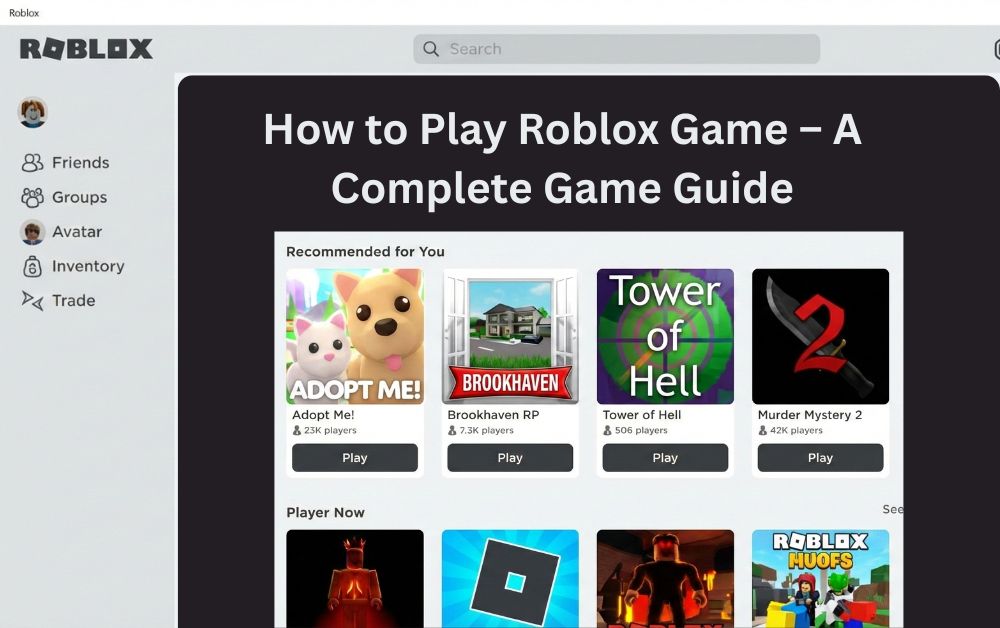
The home page shows featured and recommended games based on popularity and your interests.
Categories and Genres
Games are divided into genres such as adventure, roleplay, simulation, and obstacle courses.
Search Bar Usage
You can search for specific games or genres using the search bar at the top.
Choosing Your First Roblox Game
Beginner-friendly games are usually simple and easy to understand.
Popular beginner genres include:
- Adventure games
- Roleplay games
- Simulator games
- Obby (obstacle course) games
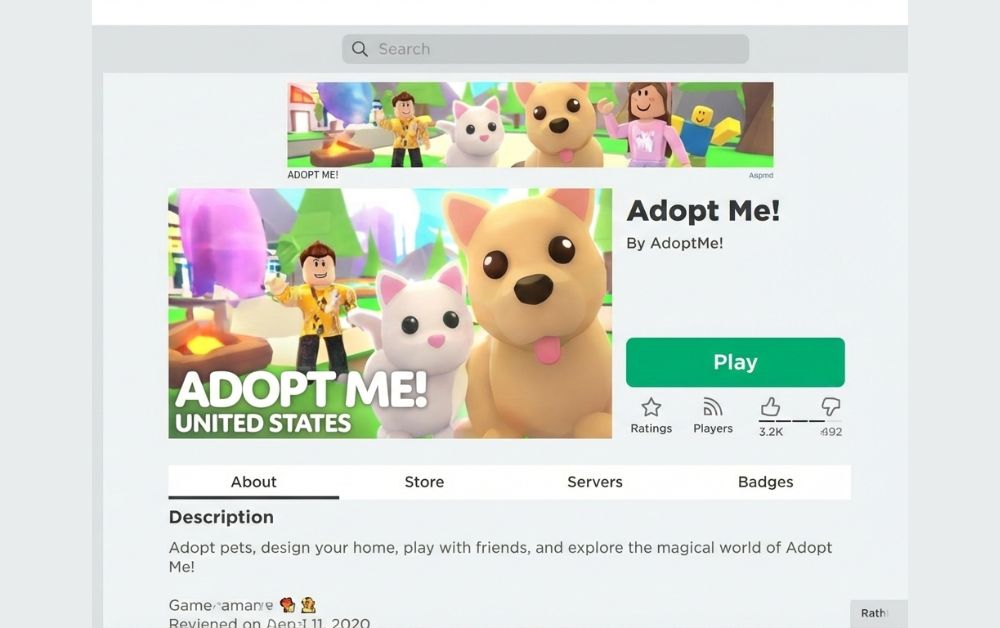
Joining a Game
- Click on the game thumbnail
- Press the Play button
- Wait for the game to load
- You will be placed in a server with other players
Basic Roblox Controls and Gameplay
Learning controls is essential for enjoying Roblox games.
Roblox Controls on PC
- W, A, S, D keys for movement
- Mouse to control the camera
- Spacebar to jump
- Mouse click to interact
Roblox Controls on Mobile
- On-screen joystick for movement
- Touch gestures for camera control
- On-screen buttons for jumping and actions
In-Game Menus and Settings
- Chat box to talk with players
- Inventory to manage items
- Settings to adjust graphics, volume, and controls
Popular Roblox Games Beginners Should Try
Here are some popular Roblox games that are beginner-friendly:
- Brookhaven RP: A roleplay game where players can live virtual lives, own houses, and interact with others.
- Adopt Me: A social game focused on adopting pets, trading, and decorating homes.
- Blox Fruits: An action-adventure game inspired by anime, featuring combat and exploration.
- Tower of Hell: A challenging obstacle course game that tests jumping and timing skills.
- Pet Simulator: A collecting and progression-based game where players hatch and upgrade pets.
How to Customize Your Roblox Character
Customization is a big part of the Roblox experience.
Avatar Editor Overview
The avatar editor allows you to change clothes, accessories, and body features.
Free Clothing and Items
Roblox offers many free items that can be used without Robux.
Paid Items Using Robux
Premium outfits, animations, and accessories require Robux.
How Customization Affects Gameplay
Customization is mostly visual and does not usually affect gameplay, except in certain games.
How to Play Roblox With Friends
Playing with friends makes Roblox more fun.
Adding Friends
Search for your friend’s username and send a friend request.
Joining Friends’ Games
You can join a game your friend is playing if the game allows it.
Private Servers Explained
Some games offer private servers where only invited players can join.
Multiplayer Experience Benefits
Playing with friends improves teamwork, communication, and enjoyment.
Roblox Safety Tips for Kids and Parents
Safety is very important on Roblox.
Chat Filters
Roblox automatically filters inappropriate language.
Blocking and Reporting Users
Players can block or report users who behave badly.
Parental Control Settings
Parents can limit chat, spending, and game access.
Screen Time Management
Setting time limits helps maintain a healthy balance between gaming and daily life.
Common Roblox Problems and How to Fix Them
- Roblox Not Loading: Check your internet connection and restart the app.
- Issues Login: Reset your password or verify your account details.
- Game Lag: Lower graphics settings and close background apps.
- App Crashing: Update the app and your device software.
Tips to Get Better at Roblox Games
- Practice regularly to improve skills
- Watch gameplay tutorials from experienced players
- Learn each game’s rules and mechanics
- Avoid scams and fake offers
Can You Make Money Playing Roblox?
Roblox offers opportunities to earn Robux, but it requires effort.
Robux Earning Methods
- Creating games
- Selling avatar items
- Offering paid game passes
Game Development Basics
Learning Roblox Studio can help you create games.
Selling Items
Creators can sell clothing and accessories.
Important Warnings
Avoid scams that promise free Robux or easy money.
Also Read: Miyoo Mini Plus Game List
Final Thoughts
Roblox is a beginner-friendly platform that offers endless variety and creativity. It is free to start, easy to learn, and suitable for players of all ages. Whether you want to play casually, socialize with friends, or explore game creation, Roblox provides a safe and engaging environment.
If you are new to gaming or looking for a platform that grows with you, Roblox is definitely worth trying. Start playing today and explore millions of unique experiences created by players around the world.